Stop “installing” autonomous AI agents on your daily driver. You are doing it wrong. Our hero, Jolty (Zoë Roth AKA Disaster Girl) being told to ‘gonnae no dae that!’ a beautiful Scottish expression (please don’t do that) as a fire blazes in the background. This phrase perfectly sums up my feelings on MoltBot and the…
Whilst doing my migration, i want to set up the mailbox so that i can foward any new massages to O365 from the local exchange, after i have done the bulk of mail migration. In order to do this, we utilise the .onmicrosoft.com address space that O365 can provide each email user.
The plan is simple, forward mail from local exchange @contoso.com to O365 @contoso.onmicrosoft.com
To do so, on the local exchange there is two steps,
1) create CSV with the following format and your contact data:
Firstname,LastName,ExternalEmailAddress
Save as external_users.csv
2) Run the following which creates the bulk contacts with powershell
replace: “DOMAIN.local/MyBusiness/Users/SBSUsers/Contacts” with the OU you wish the contacts to be created in.
You then need to set up the forwarding within exchange, now you have already done the contacts using powershell, why not set forwarding with powershell also?
Printers are the bain of any helpdesk engineer, or actually any one in IT in general!
Here is a quick printer fix script to help:
Whilst basic, (restart spooler and clear all print queues) it does in our office, at least, clear 99% of printer issues.
Copy and paste the below to a batch file (file extension .bat) and click away:
::Printer Fix Script @cannotdisplay.com
net stop spooler
pause
del /S /F “C:\Windows\System32\spool\PRINTERS\*”
del /S /F “C:\Windows\System32\spool\SERVERS\*”
net start spooler
pause
::end
It will prompt you several times to make sure you wish to delete queues and then pause at the end to show you how it went,
Any alterations or suggestions comment below!
The BGP (protocol) has been on my mind the last few weeks.
It boggles my mind how fragile the web is that we all operate on, more specifically that we rely on BGP TCP/IP to maintain connections between two or more autonomous system routers. BGP is simply put, is the Internet’s greatest weakness.
OK, so what is BGP?
According to he RFC (last pub 2006)
The primary function of a BGP speaking system is to exchange network
reachability information with other BGP systems.
GP-4 provides a set of mechanisms for supporting Classless Inter-
Domain Routing (CIDR) [RFC1518, RFC1519]. These mechanisms include
support for advertising a set of destinations as an IP prefix and
eliminating the concept of network “class” within BGP. BGP-4 also
introduces mechanisms that allow aggregation of routes, including
aggregation of AS paths.
Attacking it?
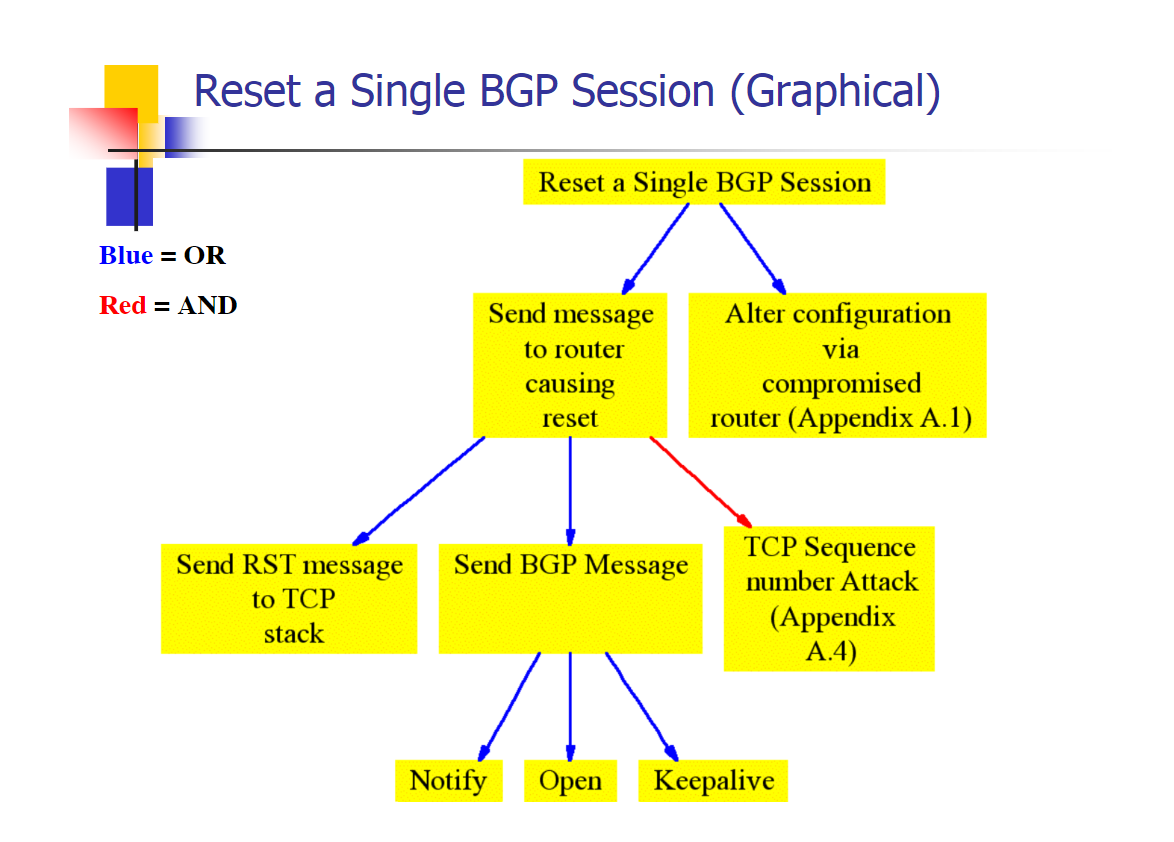
Acording to Sean Convery (cisco) from his blackhat talk in 2003 below is how you shoudld go about it (kindof, we will go into more detail later):
Reset a single BGP session to control a block of IP’s and corrupt other BGP routers. The easiest way to do this would be to gain lawful access to a BGP backbone, e.g. become an engineer for a site, or befriend someone who has access.
OK, so?
Well from all my readings and research, it seems like this is where the bottom foundational layer of trust the WHOLE internet lies. Without the BGP, there is no CIDR, without CIDR there is no IP’s, without IP’s there is no DNS, without DNS there is no websites, without websites many services simply die and cue end of the world scenarios.
Why was this on my mind? Well i’ve been curious about it before, but recently i have been thinking about the unseen weaknesses in CryptoCurrencies. If the internet breaks, or a government decides to hard fork/cut access and limit it, then crypto as we know it is valueless. It simply looses ALL value.
Crypto other than a few projects all works from HTTP, ip, tor, IPFS etc.. which relies on IP addressing. When the very foundation of these protocols is in question, then the whole behemoth is in danger. BGP simply is the biggest threat to modern crypto economies.
tl;dr: An old protocol (BGP) run by potentially vulnerable companies, could break the internet by issuing bad or malicious commands.
Ever had the need to install multiple programs on a new or existing PC?
We have all been there; a brand new PC out the box, a relative who needs some software installed, a re-install of windows on your own PC.
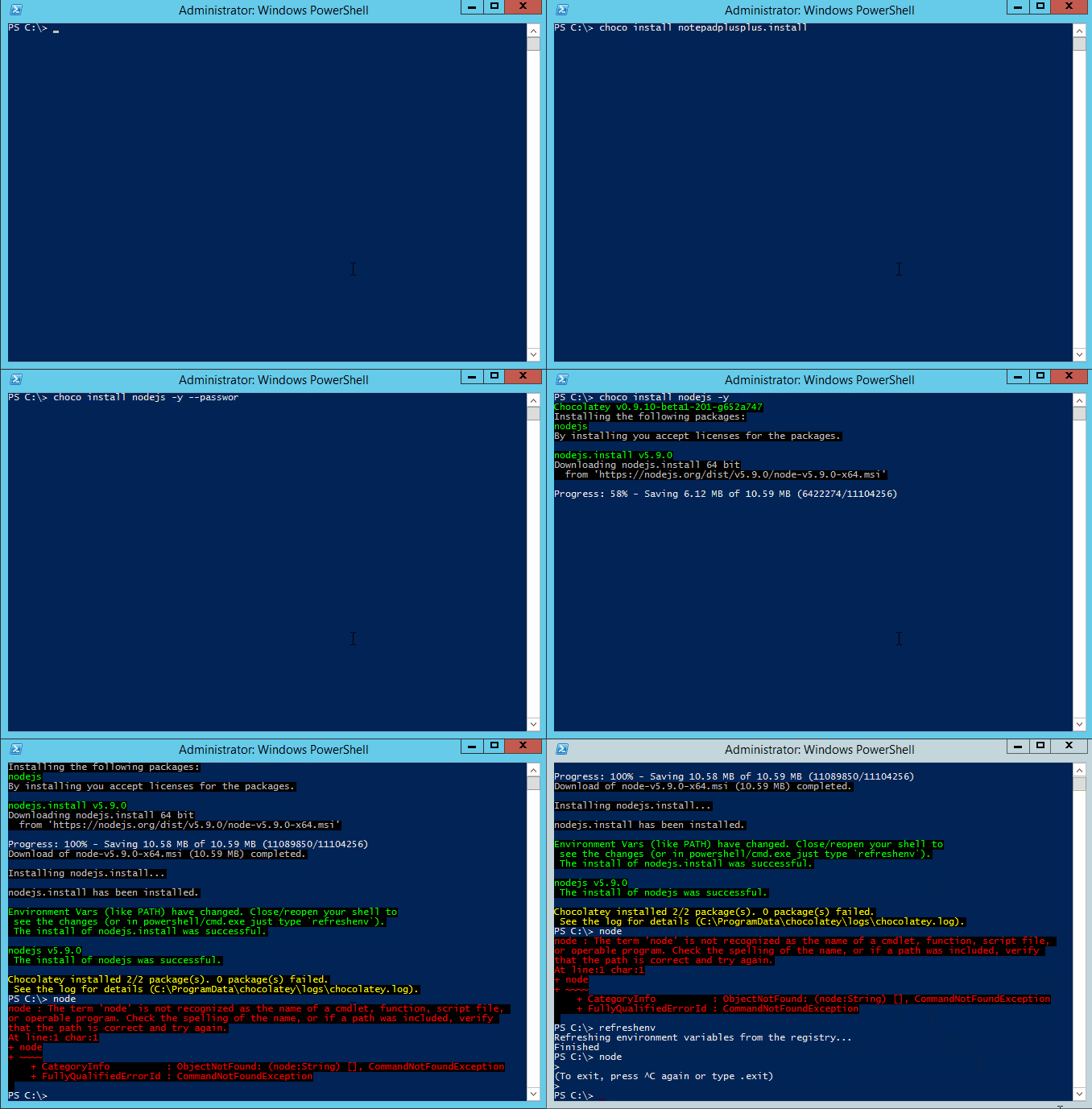
So how do we go about collating all our software, is there a nice quick way to re-install everything and get us up to date quickly. Well today we are going to go over the basics of how to install multiple programs using Chocolatey.
Chocolatey is a package manager for Windows (like apt-get or yum but for Windows). It was designed to be a decentralized framework for quickly installing applications and tools that you need.
How can I install chocolatey?
Very easily. Chocolatey is built for windows and use through Powershell, so as long as you have been updating windows, you should be able to install it seamlessly.
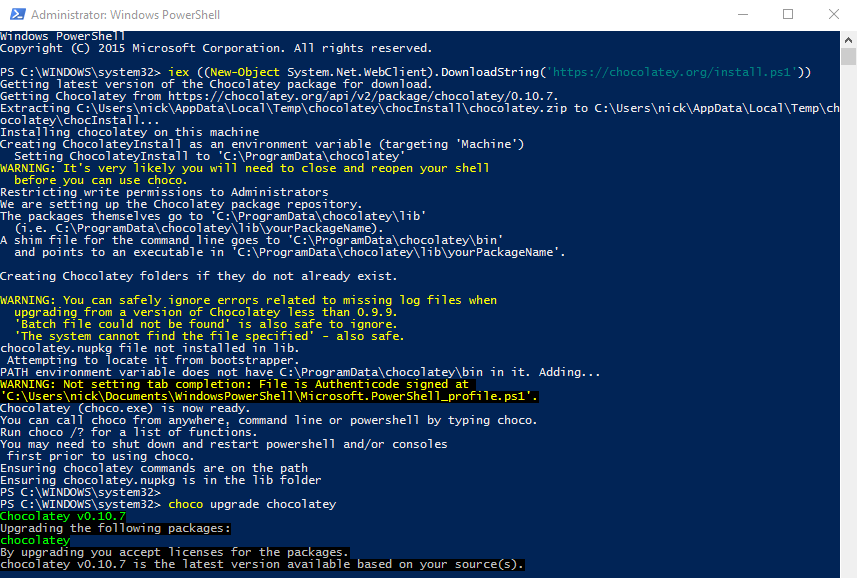
Either head over to the chocolatey install page, or use my favorite method of install – using Powershell itself:
Simply now open powershell and with your new chocolatey powers run the choco install script as follows: choco install notepadplusplus googlechrome atom 7zip
You can find the full list of programs supported from either running a choco search in powershell, or by visiting the package repository here: https://chocolatey.org/packages
Hope this is of some help. If you are not wanting to install multiple programs, don’t want to mess with powershell as mentioned in previous posts, perhaps Ninite will be better suited for you.
![[Opinion] STOP INSTALLING OPENCLAW (MOLTBOT) ON YOUR PC/MAC: How to Safely ‘Hire’ AI Agents via Cloud VPS](https://cannotdisplay.com/wp-content/uploads/2026/02/moltbot-banner-1024x435.png)
![[Solved] Help! Windows 365 Cloud PC Switch Feature Has Frozen My Local Host PC.](https://cannotdisplay.com/wp-content/uploads/2025/12/Win365-Cloud-PC-via-Switch-1024x214.png)