![[Opinion] STOP INSTALLING OPENCLAW (MOLTBOT) ON YOUR PC/MAC: How to Safely ‘Hire’ AI Agents via Cloud VPS](https://cannotdisplay.com/wp-content/uploads/2026/02/moltbot-banner-1024x435.png)
![[Solved] Help! Windows 365 Cloud PC Switch Feature Has Frozen My Local Host PC.](https://cannotdisplay.com/wp-content/uploads/2025/12/Win365-Cloud-PC-via-Switch-1024x214.png)
Enable or Disable user account from command line (CMD)
To Disable or Enable an account from a CMD terminal (command prompt)

Net user Nick /active:no
To re-enable the account :
Net user Nick /active:yes
Stop “installing” autonomous AI agents on your daily driver. You are doing it wrong. Our hero, Jolty (Zoë Roth AKA Disaster Girl) being told to ‘gonnae no dae that!’ a beautiful Scottish expression (please don’t do that) as a fire blazes in the background. This phrase perfectly sums up my feelings on MoltBot and the…
To Disable or Enable an account from a CMD terminal (command prompt)
Net user Nick /active:no
To re-enable the account :
Net user Nick /active:yes
There are 2 ways to find the folder location of AppData on a PC, and to check appdata path.
The first method uses the simple $env: command. This command has long been used by C# users to make multi platform software, in the case where your AppData or any other environmental variable may be living somewhere other than the normal factory set location.
Simply open up powershell and type:
$env:APPDATA
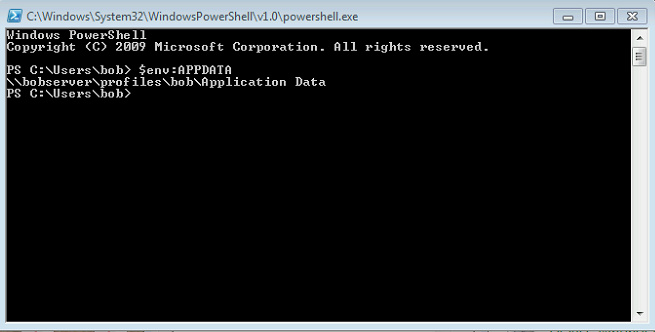
Method 2 is basically doing the exact same as above, but this time using a call and answer approach:
Get-Childitem env:APPDATA | %{ $_.Value }

Below are some extra $env: variables that you may find useful;
Name                           Value
----                           -----
TEMP                           C:\DOCUME~1\bob\LOCALS~1\Temp
SESSIONNAME                    Console
PATHEXT                        .COM;.EXE;.BAT;.CMD;.VBS;.VBE;.JS;.JSE;.WSF;.WSH;.PS1;.PSC1
USERDOMAIN                     WINGROUP
PROCESSOR_ARCHITECTURE         x64
SystemDrive                    C:
APPDATA                        C:\Users\bob\Application Data
windir                         C:\WINDOWS
USERPROFILE                    C:\Users\bob
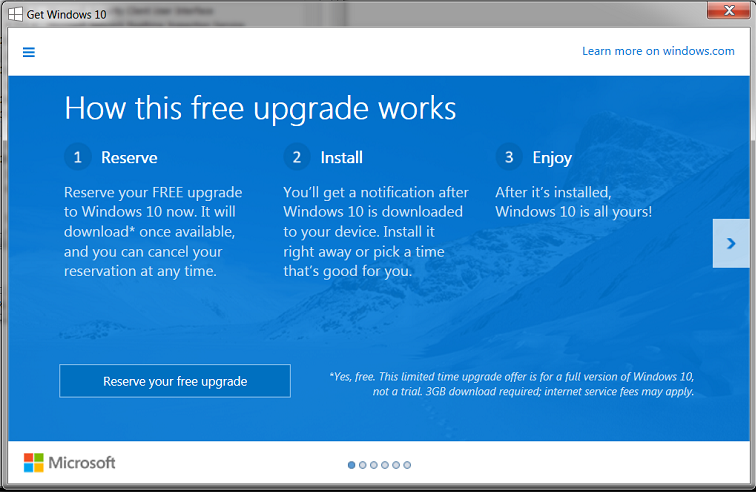
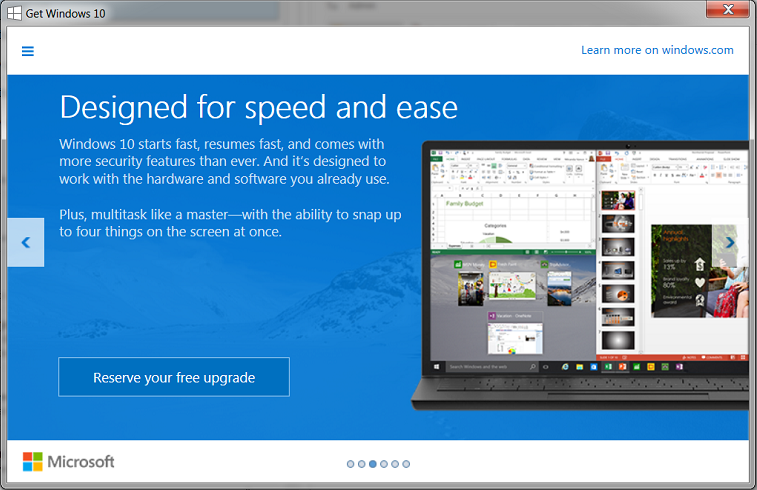
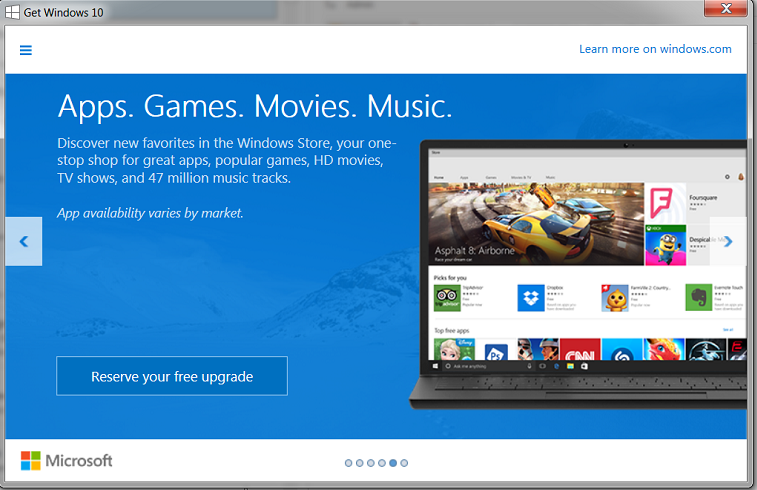
After a batch of updates over the weekend, Windows is now providing more info on the long awaited FREE windows 10 upgrade

The popups, now appearing on some windows 7 and 8 PC’s are causing quite a stir. With some people on reddit calling it both ‘intrusive’ and ‘malware-like’
It would appear that it is KB3035583 that installs this notification, but that requires Windows 7 SP1 or Windows 8.1 to function correctly, at the bottom of the article we have included a step by step guide in forcing this update in order to be able to reserve your own copy of Windows 10
Below, the sirst 5 screens, then taking you through to the final offer, of ‘reserving Windows 10’


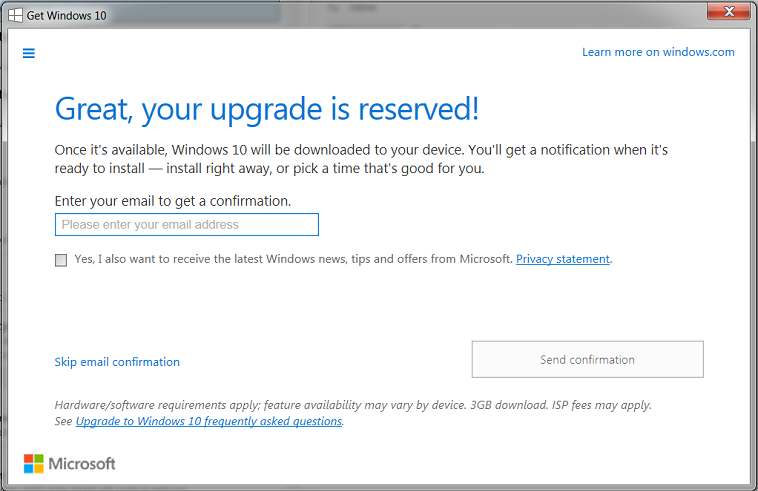
If you are still looking to get a hold of the update supplying this notification then Reddit user FearGX_ explains that you can force the update to do its thing. We’ve reformatted his instructions below.
Again, this will only work if you’re running a legitimate copy of Windows 7 SP1 or Windows 8.1, have KB3035583 installed, and have all the latest updates.
Without going into detail about how this process works, or what it does, If you have just migrated a new Server and are ready to make it the live master for the forrest and domain, simply open up a command prompt (CMD) and enter the following lines in one after the other;
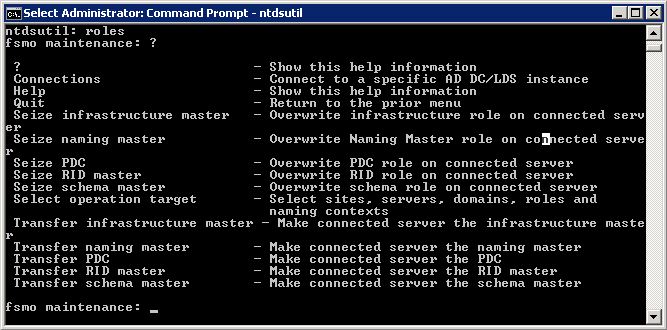
Ntdsutil
Roles
Connections
Connect to server *New Server Name*
Q
Seize infrastructure master
Seize naming master
(if success – continue to the below)
Seize PDC
(Server “*Server Name*” knows about 5 roles)
Seize RID master
Sieze schema master
Q
Finito. (<– dont type that!)
Because an Active Directory role is not bound to a single DC, it is referred to as a Flexible Single Master Operation (FSMO) role. Currently in Windows there are five FSMO roles:
Schema master
Domain naming master
RID master
PDC emulator
Infrastructure master
And that is your FSMO roles all transferred over using simple command line. Please keep your eyes peeled for further posts looking deeper into each of the FSMO Roles,